
Products and calculations
Keep product records, quantities and available nutrition and allergen information. Calculations depend on the completeness of this data and the prices entered.
A chef’s workspace: from your own recipe to a menu and shopping list.
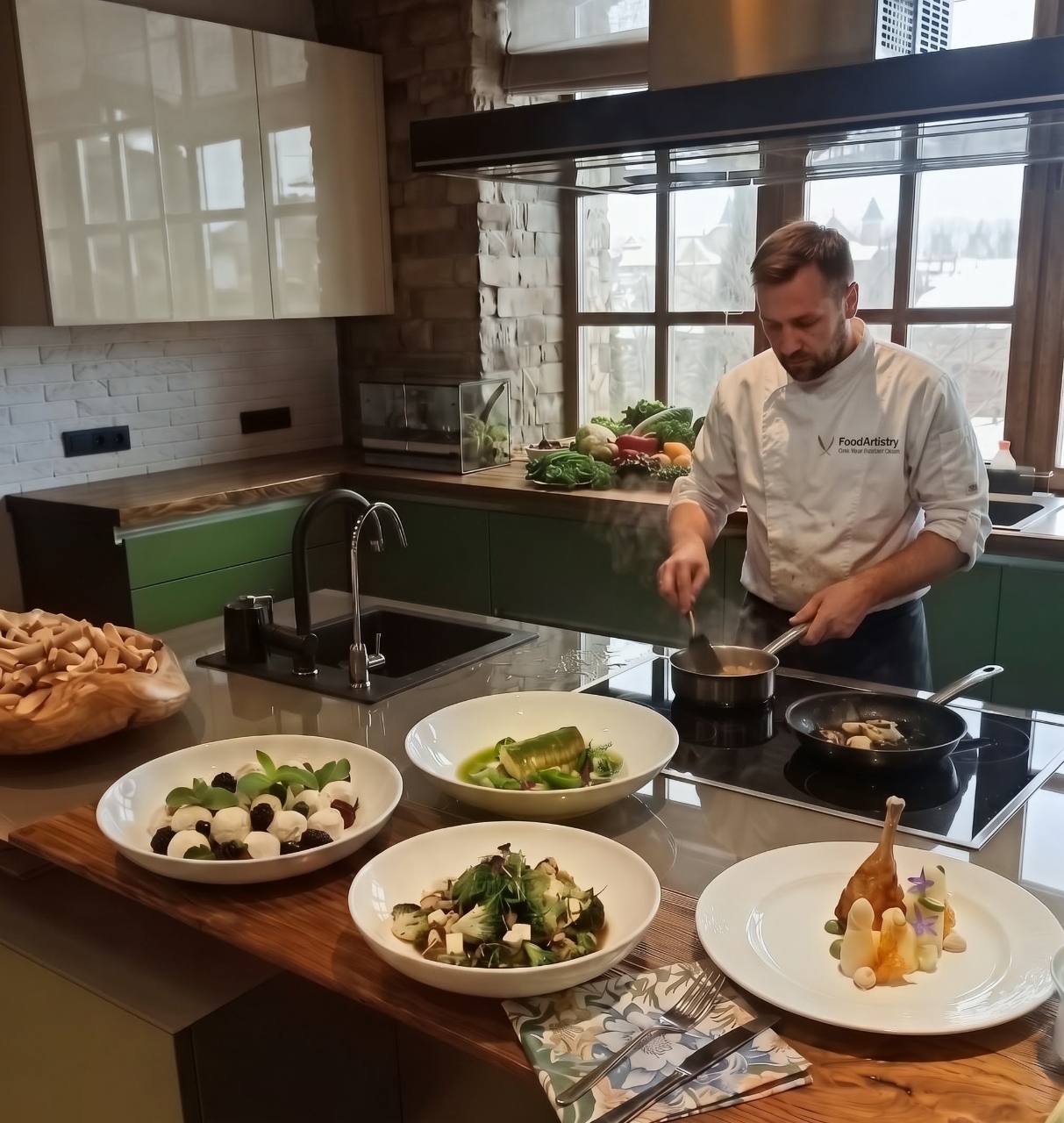
For chefs and food teams
Try dish generation, food cost and nutrition calculations, shopping lists and menu planning in one system.
Inside the app
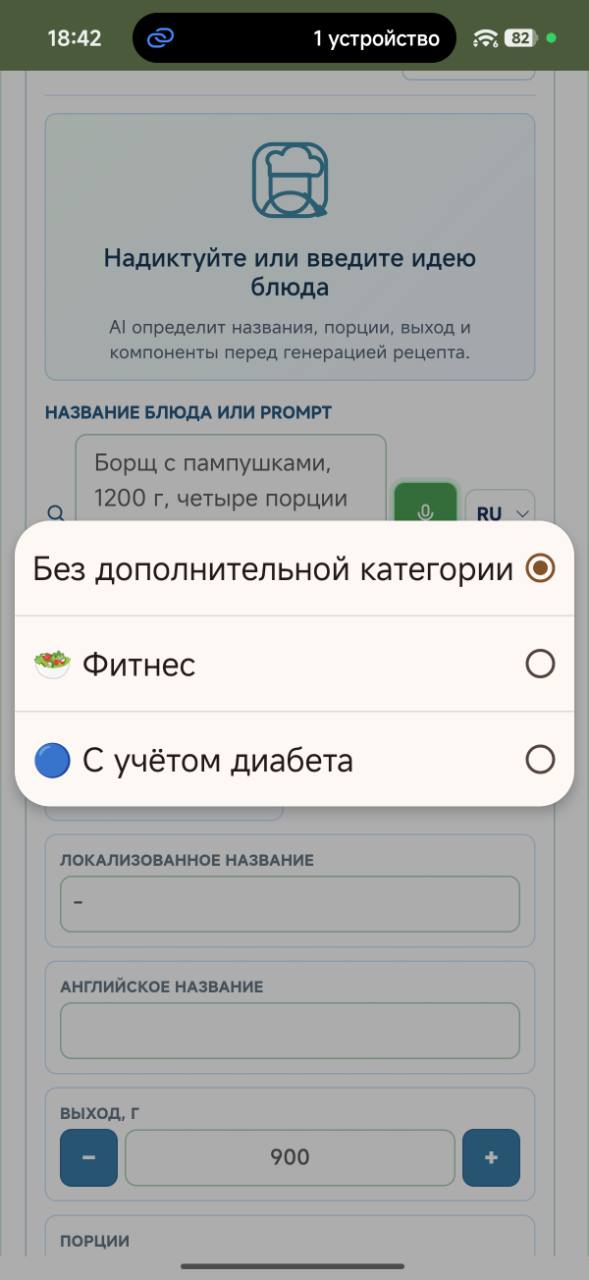
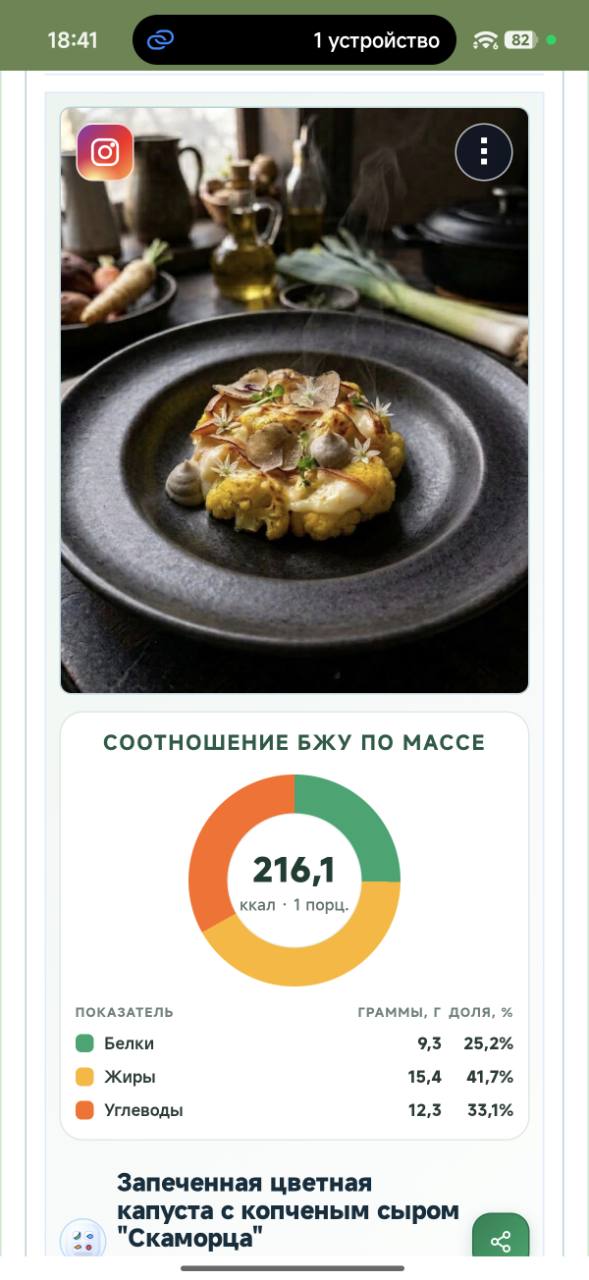
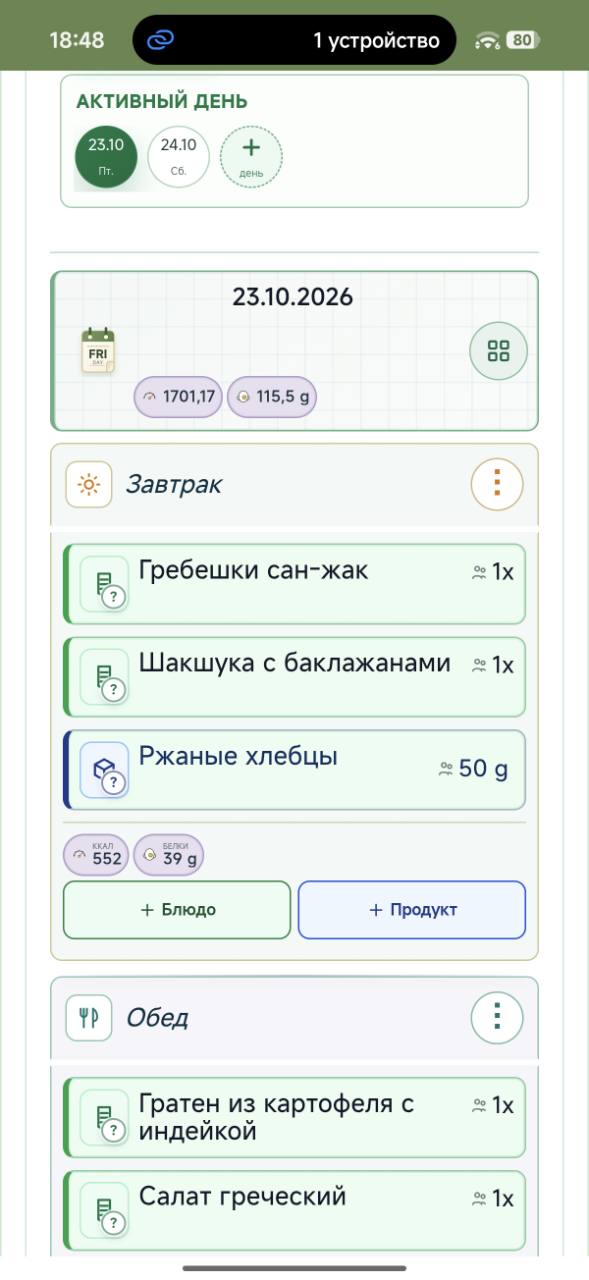
We invite chefs and food teams to Google Play closed testing. Participation is free: try Food Artistry in your work and share honest feedback.
Simple participation requirements:
Use the email of the Google account on your Android device.
Choose one of 14 situations from your work.
You discuss the menu and number of portions with the client.
Writing down dishes and requests on paper is quick. But then you need to go through the recipes, calculate product quantities, combine identical ingredients in the shopping list and work out the cost. When the menu changes, you have to recalculate everything.
Software can automate these calculations. But first you need to enter the recipes: find the products, specify quantities and fill in the required properties. Just when you need it most, there may be no time for this.
In Food Artistry, you build a menu from saved dishes. If a dish is missing, simply dictate the products and your main requirements — the program will prepare a recipe and calculate quantities for you to check. The finished menu automatically produces a combined shopping list and the cost of the products.
You discuss the menu with a client who has allergies or intolerances, dislikes some products and prefers others.
Writing these requests down on paper is quick. But then you need to check them against the ingredients in every dish yourself and remember them whenever you make substitutions.
Software can store this information and use it to check the menu. But the client’s restrictions must be linked to the ingredients in the dishes and the properties of the products — a text note alone is not enough.
In Food Artistry, the client enters their restrictions and preferences in a dedicated section in advance. When you build the menu, the system takes this information into account, draws attention to unsuitable dishes and suggests replacing a dish or an individual ingredient. The chef checks and confirms the choice — without having to recall every restriction and manually compare it with the recipes each time.
An event is under way. A waiter comes to the kitchen and asks whether a dish contains a product that a guest is allergic to.
You can check the ingredients on a paper recipe sheet. But you need to find the right sheet, review the ingredients and account for any substitutions made during preparation. The chef is interrupted while the guest waits for an answer.
A digital recipe sheet makes searching easier. But if the ingredients are recorded only as text, you still have to review each ingredient and determine which allergens it contains.
In Food Artistry, ingredients are linked to product records and their properties. Ingredients and allergen information are available directly in the dish record, so you can quickly check and answer the waiter. If a product was substituted during preparation, record the substitution in the recipe so that the information reflects the actual ingredients.
You need to prepare a long list of dishes. It is important to track the readiness of each one and not overlook anything.
On paper, it is easy to make a list and cross off prepared dishes. But when the menu changes, you have to update the list and check it against the current plan.
Software makes the menu easy to edit. But a list of dishes alone does not show what has already been prepared: without readiness marks, you need a separate list or must keep everything in your head.
In Food Artistry, you mark a prepared dish with a double click or tap directly in the menu. You can immediately see what is ready and what still needs to be prepared. There is no need for a separate tracking list.
You are selecting products for the menu and need to decide which manufacturer and supplier to buy from.
It is easy to write down options on paper, but you have to search different websites for offers yourself and compare prices, packaging and purchasing terms.
Software can store suppliers and prices. But storing the data alone does not remove the need to find and compare offers.
Food Artistry searches for and analyses offers for products, manufacturers and suppliers, taking your preferences into account, including your favourite suppliers. You receive a comparison of prices, packaging and purchasing terms, together with links to specific products at suppliers, so you can check, compare and choose a suitable offer.
You receive a job opportunity, and the employer asks for your CV and examples of your dishes.
You can send an existing file and photographs. But you have to find the CV on your computer or phone and gather your best work from folders and social media.
An online profile makes sharing easier: one link is enough. However, you have to populate and update it separately, copying photographs and information about your work into it.
In Food Artistry, your CV and portfolio are in the same workspace as your dish database. You can use work you have already saved, add your experience, skills and diplomas to your profile, and send a single link to an employer or client.
You want to find a new recipe for the menu.
You can consult your own notes or ask colleagues: these are familiar sources, but the choice is limited and recommendations have to be gathered separately.
The internet and apps offer far more options. But you have to look through recipes, compare them and find reviews to decide which one is worth trying.
In Food Artistry, dishes have user ratings and reviews. You can sort the list alphabetically, by how often you use dishes in your work, or by rating. This helps you quickly find a familiar dish or choose a new recipe based on other users’ ratings and experience.
The client wants to know the calories, protein, fat and carbohydrates in a dish made to your recipe.
You can calculate everything manually from the ingredients, but you need to find the data for each product, account for its quantity and add up the results. When the ingredients change, the calculation needs updating.
A calculator or AI speeds up the arithmetic, but you still need to supply the full ingredient list and quantities. The dish name alone is not enough: your recipe may differ from the suggested version.
In Food Artistry, ingredients, quantities and product properties are already linked to the recipe. The program automatically calculates the nutritional value of the dish and a portion, and recalculates when ingredients or quantities change. There is no need to list the ingredients again and transfer the data to a separate calculator.
You are creating a recipe and discover that a required ingredient is not in the database.
On paper, you can immediately write down any product and continue. But you will have to find its price, nutritional value and other properties for calculations separately.
In software, a product with completed properties can be used in different recipes. However, if it is missing from the database, you have to interrupt the dish creation process, add a product record manually and enter its data.
When you create a recipe in Food Artistry, the service automatically creates the missing product and finds the necessary information, including nutritional value and prices. You check the data and correct it if needed. The product is saved in the database and becomes available for subsequent dishes and calculations.
You are cooking for a group of people. Each person has their own preferences, allergies or intolerances.
You can quickly note everyone’s requests on paper. But then you have to check dishes against all participants’ restrictions and remember what suits whom, especially when the menu changes.
A spreadsheet or software makes this information easier to store. However, if it is not linked to participants and dish ingredients, you still have to check suitability manually.
In Food Artistry, each group member can enter their own preferences and intolerances. The program accounts for them individually within the shared menu, so you can see which dishes suit each person and where a substitution is needed. You do not need to combine different requirements into one general list and remember whom each restriction belongs to.
You need to monitor the completion of workstation and equipment cleaning.
You can tick a box on paper, but later it is difficult to establish when the mark was made and by whom.
A spreadsheet can record the person and time, but that is a separate manual task.
Checklists are planned for Food Artistry: an employee marks a task as completed, and the system records the time and person. This will make it possible to see completed and outstanding tasks and review the history of recorded marks.
You want to create a recipe that reflects your idea and requirements.
You can quickly write down an idea on paper, but you have to work out the ingredients, proportions and preparation details yourself. Even an experienced chef can overlook something at the moment it is needed.
AI helps prepare a recipe, but a suitable result requires a detailed explanation of your requirements. Writing that prompt also takes time and attention.
Food Artistry already uses professional instructions developed from my 25 years of experience as a chef when creating recipes. You only need to describe the products and your main requirements. The system considers these alongside the accumulated instructions and works out quantities and preparation methods. You then check the result and make any necessary adjustments.
You add a main dish to the menu and try to remember which side dish, sauce or other dishes you usually serve with it.
You can rely on your memory or look through old notes. But finding the right combination takes time.
Software allows you to save and open previous menus. However, without suggestions, you still need to find the relevant menu and review its contents.
After you add a main dish in Food Artistry, the dishes you most often use alongside it appear first in the list of dishes to add. The program takes your personal history of combinations into account and helps you assemble the menu faster.
You have a recipe on paper, in a photograph or in a file, and need to add it to your working database.
You can use a paper recipe sheet immediately. But for digital calculations, you have to retype the ingredients, quantities and preparation method.
Text recognition speeds up the transfer. However, the recognised text still needs to be converted into a structured recipe, the units checked and the ingredients linked to products.
In Food Artistry, you can upload a photograph of the recipe sheet or a file. The system recognises the data and creates a digital recipe in the database. The chef checks the recognised ingredients, quantities and preparation method, makes any necessary corrections, and uses the dish in menus and calculations.
I am a chef with 25 years of experience and a programmer. I am building Food Artistry around everyday work in the kitchen.
Existing software helped, but I often lacked the time to enter the data and returned to a sheet of paper. I want automation to help when it is needed, while keeping decisions with the chef.
Professional and private chefs and kitchen teams who keep their own recipes, plan their work and cook for clients or groups.
Keep product records, quantities and available nutrition and allergen information. Calculations depend on the completeness of this data and the prices entered.
Create and edit dishes, gross and net weights and yield. Import from supported files and images and AI can help prepare a draft; the chef checks ingredients, quantities and cooking steps before saving.
Plan days, meals and portions, add saved dishes and mark cooking progress. Menu changes remain part of one working plan.
Build a list of products required by a menu, inspect where they are used and mark purchases. This brings the needs of different dishes into one list.
Keep client preferences and restrictions, inspect ingredients and available allergen data. Public recipes are for sharing; private recipes are for internal use. The chef remains responsible for the final safety check.
Prepare a professional profile and a selection of your own dishes. Publish your CV explicitly and share its link with a client or employer.